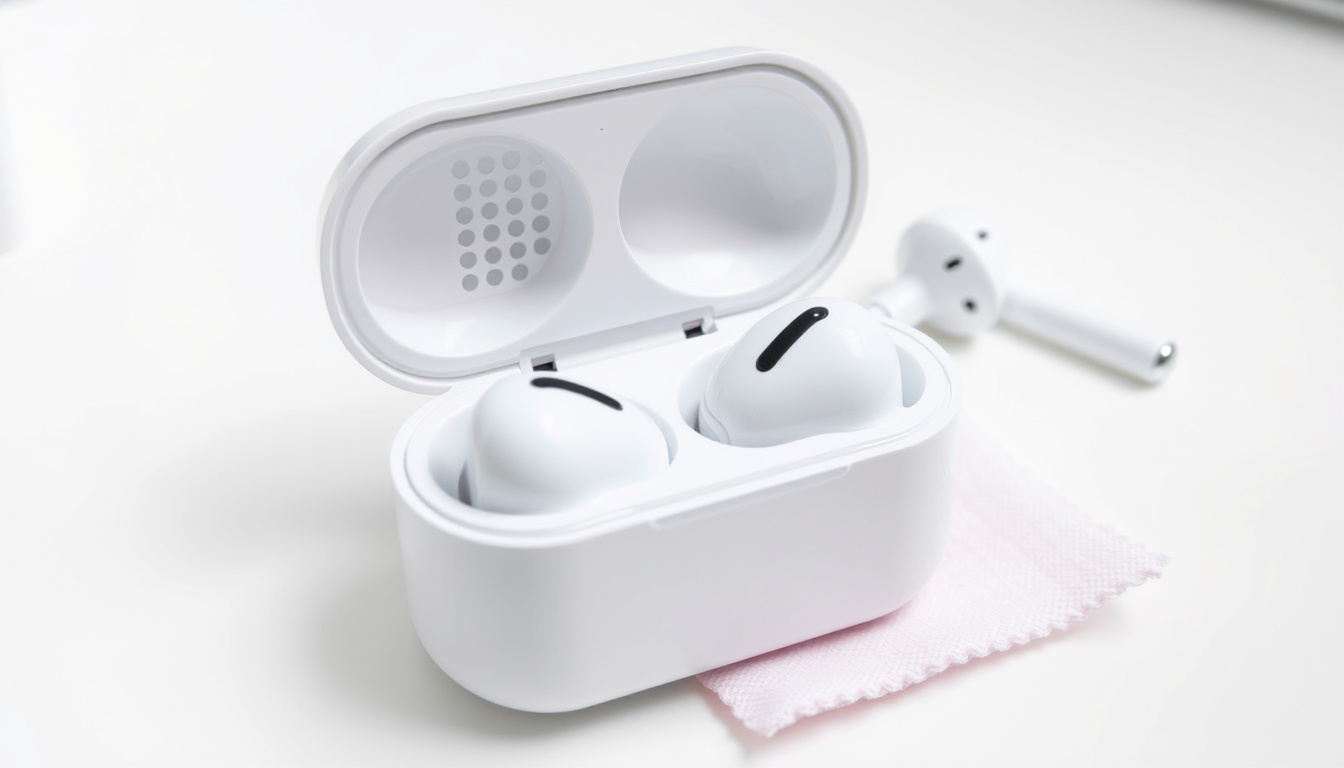
Keeping your AirPods clean directly affects sound quality, comfort, and longevity. Ear wax buildup on speaker meshes, yellowing silicone tips, and debris in charging ports are common issues that affect performance. This guide walks through official Apple-recommended cleaning methods for AirPods Pro, standard AirPods, charging cases, and ear tips, based on instructions from Apple’s support documentation.
Apple’s official cleaning guidance emphasizes gentle handling and specific tools for different components. The approach varies between models: AirPods Pro ear tips can be rinsed under water, while the speaker meshes require careful brushing with micellar water. Understanding these distinctions helps prevent damage while effectively restoring audio clarity.
Whether you are dealing with muffled sound from blocked meshes, discolored silicone tips, or a grimy charging case, the following steps provide practical, evidence-based solutions. Weekly maintenance reduces buildup and maintains the listening experience your AirPods were designed to deliver.
How to Clean AirPods Pro
AirPods Pro require more detailed cleaning than standard models due to their removable silicone ear tips and dual-mesh speaker design. Apple provides model-specific instructions for Pro 2 and Pro 3 variants, covering the body, ear tips, and speaker meshes separately.
Damp cloth on exterior, no liquids near speaker grilles
Rinse under water, dry fully before reattaching
Lint-free cloth, isopropyl alcohol on exterior only
Ear wax accumulation on mesh causes sound blockage
Key insights from Apple’s documentation and user reports highlight several important points:
- Never immerse AirPods body in water or place them under running taps
- Isopropyl alcohol may be used on exterior surfaces but must avoid charging ports
- Yellowing silicone tips respond well to water rinsing and extended air drying
- Regular cleaning every one to two weeks prevents permanent staining
- Micellar water is specifically recommended by Apple for mesh cleaning
- Soft-bristled children’s toothbrushes provide safe abrasion for meshes
| Component | Recommended Method | Tools Required |
|---|---|---|
| AirPods Body | Damp lint-free cloth | Soft cloth |
| Speaker Mesh | Brush with micellar water | Children’s toothbrush, cups, paper towel |
| Ear Tips (Pro) | Rinse 10 seconds in water | Water bowl, lint-free cloth |
| Charging Case | Dry or slightly damp wipe | Lint-free cloth, soft brush |
| Case Ports | Brush debris only | Dry soft-bristled brush |
How to Clean AirPods Case
The charging case accumulates pocket lint, dust, and smudges that can affect the charging connection and overall hygiene. Apple recommends a straightforward approach that avoids liquid damage to internal components.
Wipe the exterior with a soft, dry, lint-free cloth. For stubborn residue, slightly dampen the cloth with fresh water. If deeper cleaning is needed, a small amount of isopropyl alcohol on the cloth is acceptable, but care must be taken to keep liquid away from the lightning port and wireless charging surfaces.
Debris inside the charging port should be removed using a clean, dry, soft-bristled brush. Apple explicitly warns against inserting sharp objects, paper clips, or any abrasive tools into the port. Compressed air can help dislodge loose particles, but forceps or tweezers risk damaging the contacts.
Clean your charging case weekly alongside your AirPods. A quick wipe during your regular charging routine prevents buildup that becomes harder to remove over time.
Addressing Yellowing and Discoloration
The white plastic of AirPods cases can develop a yellowish tint from prolonged exposure to pocket contents, oils from hands, and environmental factors. This discoloration is primarily cosmetic and does not affect functionality. Users report that regular wiping with microfiber cloths helps reduce staining, though aged yellowing may not be fully reversible.
Keeping Charging Contacts Clean
The gold charging contacts inside the case and on the AirPods stems require careful attention. Remove visible debris with a dry brush, but avoid using any liquids near these components. Poor contact due to debris can result in inconsistent charging or AirPods not sitting properly in the case.
How to Clean AirPods Ear Wax and Mesh
Ear wax accumulation on speaker meshes represents the most common cause of reduced sound quality in AirPods. The mesh design traps wax against the speaker drivers, creating a barrier that muffles audio output. Addressing this buildup requires specific tools and careful technique.
Apple’s official method for cleaning speaker meshes involves micellar water, a type of gentle cleansing solution commonly found in skincare routines. The solution contains PEG-6 Caprylic/Capric Glycerides, which effectively dissolves wax without damaging the speaker components. Brands such as Bioderma and Neutrogena produce widely available micellar water suitable for this purpose.
The Micellar Water Method
Begin by gathering the necessary supplies: micellar water, distilled water, a soft-bristled children’s toothbrush, two cups, and paper towels. The entire process takes approximately five minutes per AirPod, plus a mandatory two-hour drying period before the devices can be used or placed in their charging case.
- Pour a small amount of micellar water into one cup
- Saturate the toothbrush bristles with micellar water
- Hold the AirPod with the mesh facing upward
- Brush the mesh in gentle circular motions for fifteen seconds
- Blot the mesh against a paper towel, ensuring full contact
- Repeat steps one through five three times for each mesh
- Rinse the brush in distilled water and repeat the process once to remove micellar residue
- Allow the AirPods to dry completely for a minimum of two hours
Apple warns against using soap, household cleaners, abrasive materials, or sharp tools on any AirPods component. Never submerge AirPods in any liquid or place them under running water except when rinsing Pro ear tips as specifically instructed.
Drying and Reassembly
After cleaning, position the AirPods mesh-side down on a clean paper towel. Allow them to air dry completely before placing them in the charging case or using them. Rushing this step risks introducing moisture into the speaker driver, potentially causing permanent damage.
How to Clean AirPods Pro Tips (Including Yellowing)
The silicone ear tips on AirPods Pro are removable and designed to be cleaned separately from the main body. These tips frequently accumulate ear wax on their inner surfaces and can develop a yellow discoloration over time, especially with regular use and improper storage.
Removing Ear Tips Safely
Grip the ear tip firmly at the base where it connects to the AirPod. Pull firmly outward to detach it. An alternative technique involves rolling the rubber edge inside-out, which provides a better grip for stubborn tips that have been attached for extended periods.
Rinsing and Drying Ear Tips
Rinse each ear tip under fresh water for approximately ten seconds. Apple specifies water only—no soap, no household cleaners, no alcohol. After rinsing, tap the tip gently against a soft, dry, lint-free cloth with the opening facing downward to remove excess water. Wipe the exterior with the cloth and set the tips aside to air dry completely before reattaching.
Reattachment requires aligning the oval shape of the tip with the corresponding shape on the AirPod stem. Press firmly until you hear or feel a click, confirming secure attachment.
Community discussions indicate that regular weekly rinsing of ear tips helps maintain audio clarity and prevents permanent yellowing. Tips that have already developed significant discoloration may improve with repeated cleaning but may not return to their original white appearance.
Troubleshooting Persistent Issues
If cleaning does not restore expected sound quality, the ear tips may need replacement. Apple sells replacement tips separately, and wear over time is normal. Additionally, an improper seal between the ear tip and your ear canal can affect perceived audio quality—trying a different tip size may resolve the issue.
How to Clean AirPods for Better Sound
Sound quality degradation in AirPods often stems from accumulated debris in areas that affect acoustic performance. The speaker mesh, ear tip condition, and charging case contacts all contribute to the listening experience when not properly maintained.
Regular maintenance every one to two weeks prevents the buildup that eventually degrades audio. Users prone to heavy ear wax production may benefit from more frequent cleaning. The micellar water method described above directly addresses mesh blockage, while ear tip maintenance ensures proper acoustic sealing.
Apple’s official support documentation states that blocked speaker meshes can cause muffled audio. Clearing this debris with the brushing technique restores the original sound profile. The two-hour drying period is essential—using AirPods while moisture remains risks both sound quality issues and potential damage to internal components.
Post-Cleaning Verification
After cleaning and drying, test the AirPods with familiar audio content. If sound remains muffled, inspect the ear tip fit and consider whether the mesh requires additional cleaning cycles. Persistent issues may indicate the need for professional service or replacement if physical damage is suspected.
Step-by-Step Cleaning Timeline
A systematic approach to cleaning ensures no components are overlooked while preventing damage from improper technique. The following sequence covers all major AirPods components in optimal order.
- Prepare workspace and supplies: Gather lint-free cloths, soft toothbrush, micellar water, distilled water, cups, paper towels
- Remove ear tips (Pro models): Pull firmly at base or roll inside-out for grip
- Wipe exterior body: Use dry or slightly damp lint-free cloth
- Clean speaker meshes: Apply micellar water with brush in circular motions, blot dry, repeat three times
- Rinse ear tips: Hold under water for ten seconds, tap dry with opening facing down
- Clean charging case: Wipe exterior, brush port debris, avoid liquid near contacts
- Dry all components: Allow minimum two hours before reassembly
- Reassemble and test: Attach tips securely, place in case, verify charging, test sound
The active cleaning process takes approximately fifteen to twenty minutes for a complete set. The mandatory drying period extends this to over two hours, so plan cleaning during a period when AirPods are not needed.
What Is Established and What Remains Unclear
Understanding which cleaning information comes from verified sources and which relies on community reports helps readers make informed decisions about maintenance methods.
Established Information
- Apple officially recommends micellar water for mesh cleaning (support.apple.com/en-us/102672)
- Ear tips may be rinsed in water only; soap is prohibited (support.apple.com/en-us/120409)
- Charging case should be wiped with dry or slightly damp lint-free cloth
- Sharp tools and liquids in ports risk damage; Apple warns against both
- Speaker mesh blockage causes muffled audio per Apple documentation
- Complete drying for at least two hours before use is required
Information That Remains Unclear
- Hydrogen peroxide effectiveness for yellowing—suggested in some videos but not confirmed by Apple
- Long-term effects of repeated micellar water exposure on mesh coatings
- Optimal cleaning frequency recommendations specific to individual usage patterns
- Whether alternative cleansing solutions perform equivalently to micellar water
- Exact duration before yellowing becomes irreversible on silicone tips
Context and Background
AirPods accumulate ear wax and debris through normal use. The design places speaker drivers behind mesh grilles that protect components while allowing sound to pass through. This same design traps wax and skin oils against the mesh surface, creating both aesthetic discoloration and acoustic interference.
Apple introduced the ability to rinse AirPods Pro ear tips with the Pro line, distinguishing these models from standard AirPods that cannot be exposed to running water. This design difference reflects the removable tip structure of Pro models, which creates a sealed acoustic chamber when properly fitted.
The distinction between official Apple methods and community-sourced tips matters for readers seeking to maintain their devices safely. Apple explicitly warns against liquids near speaker grilles and sharp tools near any opening. Community methods involving isopropyl alcohol on exteriors and alternative brushing tools offer alternatives that work for many users but carry different risk profiles.
Sources and References
The following quotes represent authoritative guidance from Apple’s official support documentation and documented user experiences from community forums.
“Wipe your AirPods with a soft, dry, lint-free cloth. If your AirPods are exposed to something that might cause stains or other damage—such as soap, detergents, acids, acidic foods, or lotions—wipe them clean with a slightly damp cloth followed by a dry, soft, lint-free cloth.”
— Apple Support (support.apple.com/en-us/102672)
“Rinse each ear tip with water. Don’t use soap or other household cleaners. Tap the ear tip against a soft, dry, lint-free cloth with the ear tip opening facing down to remove excess water.”
— Apple Support (support.apple.com/en-us/120409)
“Users report that frequent ear wax accumulation in meshes causes yellowing and reduced sound quality. Weekly rinsing of ear tips has restored audio clarity according to community reports.”
— Apple Community Discussions (discussions.apple.com/thread/253845194)
Summary
Maintaining clean AirPods requires different approaches for various components. The speaker mesh benefits from micellar water and gentle brushing, while Pro ear tips can be rinsed under water and dried completely. The charging case requires only dry wiping and careful port cleaning. Following Apple’s documented methods minimizes risk while effectively removing ear wax and debris that degrade sound quality.
Regular weekly maintenance prevents the severe buildup that becomes difficult to address. For readers seeking to improve their listening experience, cleaning meshes represents the most impactful step. How to Get Rid of Dust Mites offers related guidance on maintaining personal electronics and accessories. Establishing a consistent cleaning routine protects your investment and ensures optimal audio performance from your AirPods.
Frequently Asked Questions
Can I use a regular toothbrush to clean AirPods meshes?
Apple recommends a soft-bristled children’s toothbrush specifically for mesh cleaning. Avoid hard-bristled or worn brushes that may damage the mesh surface.
How often should I clean my AirPods?
Weekly cleaning is advisable for most users. Individuals who produce more ear wax may benefit from cleaning every few days to prevent mesh blockage and tip discoloration.
Is it safe to use alcohol on AirPods?
Apple permits isopropyl alcohol on the exterior of AirPods and charging cases, but warns against contact with charging ports, speaker meshes, or any openings where liquid could enter internal components.
Why do my AirPods sound muffled after cleaning?
Ensure complete drying before use—moisture in the speaker driver causes temporary sound issues. If the problem persists, inspect ear tip fit and mesh condition. Consider whether debris remains in hard-to-reach mesh areas.
Can yellowed AirPods Pro tips be restored to white?
Regular rinsing helps prevent and reduce yellowing. Tips that have developed significant discoloration over extended periods may not return to their original appearance through cleaning alone.
What happens if water gets inside my AirPods?
Allow them to dry completely with mesh facing down for at least two hours. Do not use heat sources or compressed air to accelerate drying. If audio issues persist, contact Apple Support for service options.
Are alternative cleaning solutions effective for meshes?
Apple specifically documents micellar water for mesh cleaning. Other gentle aqueous solutions may work, but micellar water remains the only officially referenced method.
Should I clean my AirPods case?
Yes, the charging case accumulates pocket debris and oils. Regular wiping with a lint-free cloth maintains hygiene and ensures proper charging contact. Avoid liquids near the charging port.

Oliver Hayes is a staff writer for CivicInsight.uk, reporting on news, local government and public services. His work is reviewed by the editorial desk and checked against our sourcing and fact-checking standards before publication.